ShortCut Formatter
Overview
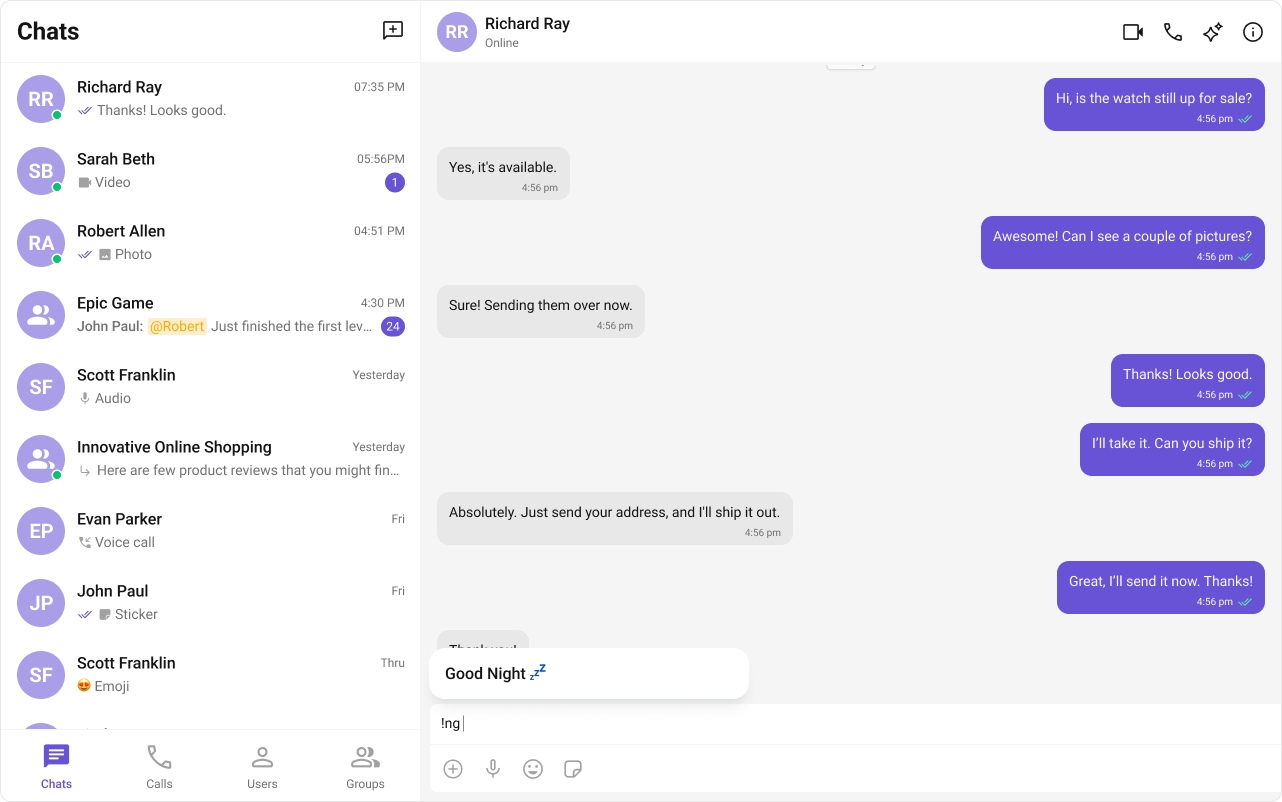
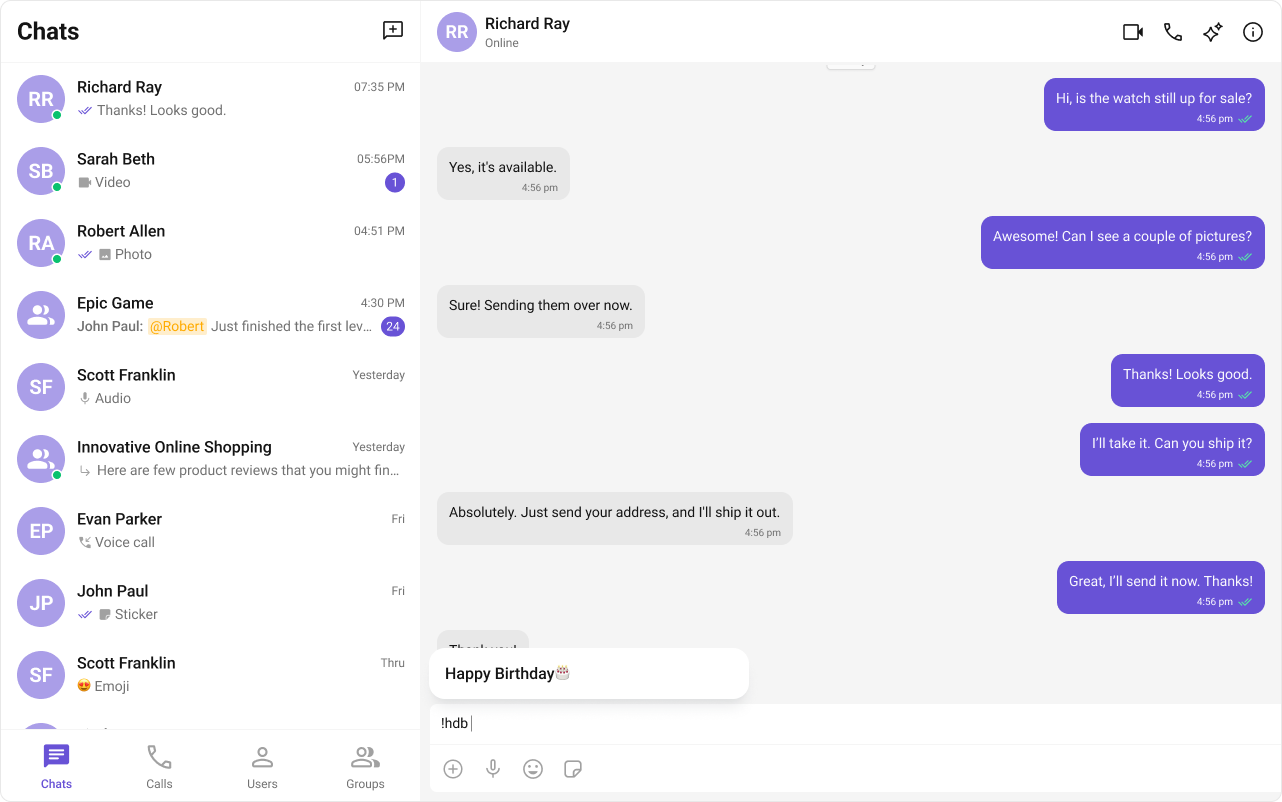
The ShortCutFormatter class extends the CometChatTextFormatter class to provide a mechanism for handling shortcuts within messages. This guide will walk you through the process of using ShortCutFormatter to implement shortcut extensions in your CometChat application.
Usage
Here are the steps to create a ShortCutFormatter for CometChat using the CometChatTextFormatter:
- Firstly, you need to import
CometChatTextFormatterfrom the CometChat UI Kit react library.
import { CometChatTextFormatter } from "@cometchat/chat-uikit-react";
- Now, extend the
CometChatTextFormatterclass to create your custom text formatter class. In this case, let's create aHashTagTextFormatter.
class ShortCutFormatter extends CometChatTextFormatter {
  ...
}
- Set up the
trackCharacterand define any necessary private fields.
this.setTrackingCharacter("!");
- Implement the
onKeyDownmethod to handle key events and trigger actions based on defined shortcuts.
onKeyDown(event: KeyboardEvent) {
  // Your implementation
}
- Implement any additional methods required for your custom formatter, such as opening and closing dialogs, handling button clicks, and formatting text.
openDialog(buttonText: string) {
  // Your implementation
}

closeDialog() {
  // Your implementation
}

handleButtonClick = () => {
  // Your implementation
};

getFormattedText(text: string): string {
  return text;
}

private getTextBeforeCaret(caretPosition: number): string {
  // Your implementation
}
Example
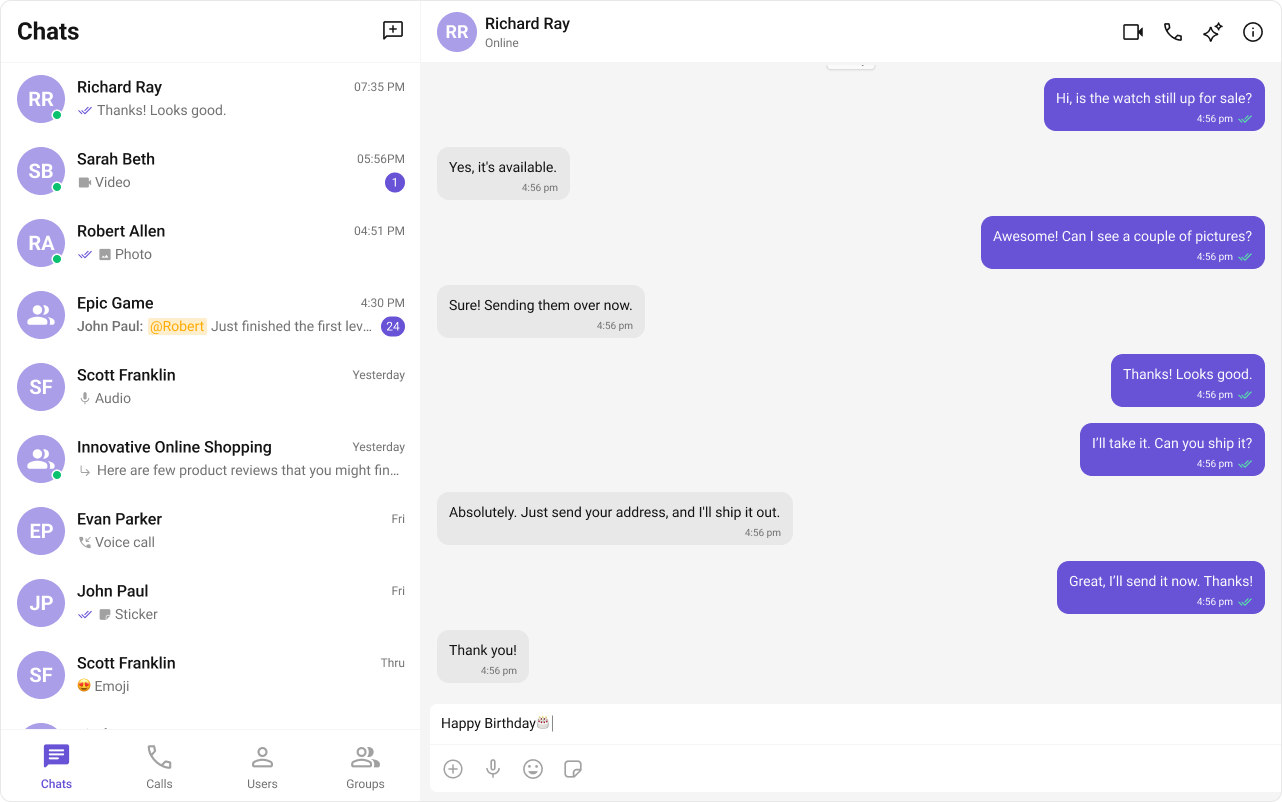
Below is an example demonstrating how to use a custom formatter class in components such as CometChatConversations, CometChatMessageList, CometChatMessageComposer.
- ShortCutFormatter.ts
- Dialog.tsx
- ConversationDemo.tsx
import { CometChatTextFormatter } from "@cometchat/chat-uikit-react";
import DialogHelper from "./Dialog";
import { CometChat } from "@cometchat/chat-sdk-javascript";

class ShortcutFormatter extends CometChatTextFormatter {
  private shortcuts: { [key: string]: string } = {};
  private dialogIsOpen: boolean = false;
  private dialogHelper = new DialogHelper();
  private currentShortcut: string | null = null; // Track the currently open shortcut

  constructor() {
    super();
    this.setTrackingCharacter("!");
    CometChat.callExtension("message-shortcuts", "GET", "v1/fetch", undefined)
      .then((data: any) => {
        if (data && data.shortcuts) {
          this.shortcuts = data.shortcuts;
        }
      })
      .catch((error) => console.log("error fetching shortcuts", error));
  }

  onKeyUp(event: KeyboardEvent) {
    const caretPosition =
      this.currentCaretPosition instanceof Selection
        ? this.currentCaretPosition.anchorOffset
        : 0;
    const textBeforeCaret = this.getTextBeforeCaret(caretPosition);

    const match = textBeforeCaret.match(/!([a-zA-Z]+)$/);
    if (match) {
      const shortcut = match[0];
      const replacement = this.shortcuts[shortcut];
      if (replacement) {
        // Close the currently open dialog, if any
        if (this.dialogIsOpen && this.currentShortcut !== shortcut) {
          this.closeDialog();
        }
        this.openDialog(replacement, shortcut);
      }
    } else if (!textBeforeCaret) {
      this.closeDialog();
    }
  }

  getCaretPosition() {
    if (!this.currentCaretPosition?.rangeCount) return { x: 0, y: 0 };
    const range = this.currentCaretPosition?.getRangeAt(0);
    const rect = range.getBoundingClientRect();
    return {
      x: rect.left,
      y: rect.top,
    };
  }

  openDialog(buttonText: string, shortcut: string) {
    this.dialogHelper.createDialog(
      () => this.handleButtonClick(buttonText),
      buttonText
    );
    this.dialogIsOpen = true;
    this.currentShortcut = shortcut;
  }

  closeDialog() {
    this.dialogHelper.closeDialog(); // Use DialogHelper to close the dialog
    this.dialogIsOpen = false;
    this.currentShortcut = null;
  }

  handleButtonClick = (buttonText: string) => {
    if (this.currentCaretPosition && this.currentRange) {
      // Inserting the replacement text corresponding to the shortcut
      const shortcut = Object.keys(this.shortcuts).find(
        (key) => this.shortcuts[key] === buttonText
      );
      if (shortcut) {
        const replacement = this.shortcuts[shortcut];
        this.addAtCaretPosition(
          replacement,
          this.currentCaretPosition,
          this.currentRange
        );
      }
    }
    if (this.dialogIsOpen) {
      this.closeDialog();
    }
  };

  getFormattedText(text: string): string {
    return text;
  }

  private getTextBeforeCaret(caretPosition: number): string {
    if (
      this.currentRange &&
      this.currentRange.startContainer &&
      typeof this.currentRange.startContainer.textContent === "string"
    ) {
      const textContent = this.currentRange.startContainer.textContent;
      if (textContent.length >= caretPosition) {
        return textContent.substring(0, caretPosition);
      }
    }
    return "";
  }
}

export default ShortcutFormatter;
import React from "react";
import ReactDOM from "react-dom";
import { CometChatUIEvents, PanelAlignment } from "@cometchat/chat-uikit-react";

interface DialogProps {
  onClick: () => void;
  buttonText: string;
}

const Dialog: React.FC<DialogProps> = ({ onClick, buttonText }) => {
  return (
    <div
      style={{
        width: "800px",
        height: "45px",
      }}
    >
      <button
        style={{
          width: "800px",
          height: "100%",
          cursor: "pointer",
          backgroundColor: "#f2e6ff",
          border: "2px solid #9b42f5",
          borderRadius: "12px",
          textAlign: "left",
          paddingLeft: "20px",
          font: "600 15px sans-serif, Inter",
        }}
        onClick={onClick}
      >
        {buttonText}
      </button>
    </div>
  );
};

export default class DialogHelper {
  private dialogContainer: HTMLDivElement | null = null;

  createDialog(onClick: () => void, buttonText: string) {
    this.dialogContainer = document.createElement("div");
    document.body.appendChild(this.dialogContainer);
    CometChatUIEvents.ccShowPanel.next({
      child: <Dialog onClick={onClick} buttonText={buttonText} />,
      position: PanelAlignment.messageListFooter,
    });
  }

  closeDialog() {
    if (this.dialogContainer) {
      CometChatUIEvents.ccHidePanel.next(PanelAlignment.messageListFooter);
      this.dialogContainer.remove();
      this.dialogContainer = null;
    }
  }
}
import ShortcutFormatter from "./ShortCutFormatter";
import { CometChatMessageComposer } from "@cometchat/chat-uikit-react";

<CometChatMessageComposer textFormatters={[new ShortcutFormatter()]} />;